
Payment Processor Portability When You Change POS
By Jordan Park · Restaurant Operations Writer · 8 years experience
July 26, 2026 · 10 min read
"My POS is my payment processor" is one of the most expensive misunderstandings in restaurant technology, and it is completely reasonable that operators believe it. You bought one thing, you got one bill, one support number, one login. Of course it feels like one product.
It is not. Behind that single bill sit at least four distinct relationships: the software that rings the order, the gateway that carries the transaction, the acquirer or ISO that holds your merchant account, and whoever owns the physical card reader on your counter. They were sold to you as a bundle. They are contracted, priced and terminated separately.
That distinction stays invisible right up until the week you try to leave. Then it surfaces all at once: the new POS does not support your processor, your merchant agreement has 19 months left with a $495 early termination fee, 340 customers have cards on file that will not transfer, and your card readers turn out to be leased from a fifth company nobody remembered.
Operators discover this at an average of three weeks before cutover, which is roughly six weeks too late to negotiate anything.
So let's separate the pieces properly, figure out which ones are portable, and build the sequence that keeps money flowing through cutover week.
The Four Pieces, and Which Ones Move
| Component | What It Does | Portable? |
|---|---|---|
| Merchant account (MID) | The account funds settle into; holds your risk profile | Often yes, if the new POS supports the acquirer |
| Gateway | Routes the authorization request | Sometimes; often replaced by the POS's own |
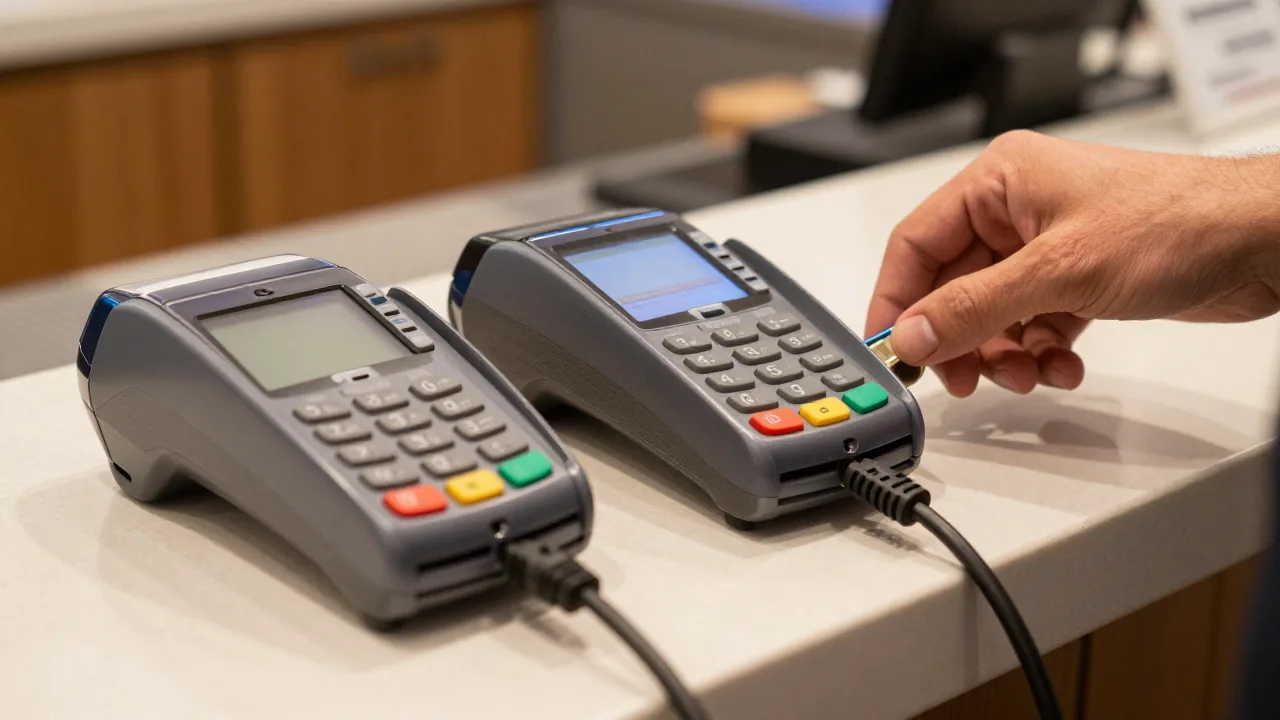
| Card reader / PIN pad | Captures and encrypts card data | Rarely — usually keyed to one processor |
| Stored card tokens | Represents a saved card without storing the number | Only if the processor stays the same |
The merchant account is the one worth fighting for. It carries your processing history, your approved risk profile, and your negotiated pricing. Restaurants that keep the same MID through a POS change skip underwriting entirely and avoid the reserve holds that sometimes accompany a new merchant relationship.
The card reader is the one people mourn unnecessarily. A modern EMV countertop or handheld device costs $250 to $600 and is genuinely a commodity. Do not let a $400 device shape a decision worth thousands a year.
Integrated, Semi-Integrated, Standalone: Why the Label Matters
Your current setup is one of three architectures, and it determines how much freedom you have.
Integrated
The POS software talks directly to the card reader. Server hits Pay, the amount goes to the device, the customer taps, the ticket closes automatically. Best experience, tightest coupling. If your POS vendor also owns the processing, this is usually what you have — and it is usually the hardest to unwind, because the integration and the merchant account were sold as one thing.
Semi-Integrated
The POS sends an amount to a payment device that handles all card data independently and reports back an approval. Slightly less seamless, meaningfully better for you: card data never enters the POS, which usually narrows your PCI scope, and the payment device can often be re-pointed to a different POS without changing your merchant account.
Semi-integrated is the quiet best answer for most independent restaurants. It preserves the automatic ticket close that servers care about while keeping the two relationships separable.
Standalone
A separate terminal with no connection to the POS. Someone keys the amount in twice. Maximum portability, maximum tip-entry errors, maximum end-of-night reconciliation pain. Nobody chooses this deliberately; restaurants end up here when an integration breaks and never gets fixed.
If you are running standalone today, a POS switch is a chance to fix it — and the reconciliation time you get back is worth quantifying. Twenty minutes a night of matching two batches is roughly 120 hours a year.
Read Your Merchant Agreement Before You Read Anything Else
Find the processing agreement — it is a separate document from your POS contract, often signed the same day. Locate these five items and write them on one page.
- Term length and end date. Three-year terms are common. Note whether it auto-renews and what the notice window is.
- Early termination fee. May be a flat amount, a liquidated damages formula based on average monthly volume, or nothing at all. The formula version is the one that surprises people.
- Equipment ownership. Are the card readers purchased, rented monthly, or leased through a separate finance agreement? Rental lines hide well inside a bundled statement.
- Minimum monthly volume or fee. Some agreements bill a shortfall if volume drops, which matters if you plan a phased cutover.
- Reserve terms. If your acquirer holds a rolling reserve, find out how long after termination it releases. Ninety to 180 days is typical.
Then pull your last three monthly statements and calculate your effective rate: total fees divided by total card volume. That single number — usually somewhere between 2.4% and 3.6% for a full-service restaurant — is the only honest basis for comparison. Headline rates like "2.6% + 10¢" describe one card type on one day and rarely match reality.
The dynamics of how processing gets bundled into POS pricing are laid out well in KwickOS's breakdown of how POS payment processing lock-in actually works, which is worth reading before your next vendor call.
The Question to Ask Every Vendor, In the First Call
Word it exactly like this: "Can I bring my own merchant account, and if so, which acquirers and gateways are you certified with?"
You will get one of three answers, and each tells you something real.
| Answer | What It Means | Your Position |
|---|---|---|
| "Yes, here is the certified list" | Processor-agnostic platform | Strong — you can shop processing separately and keep shopping it |
| "Yes, but rates are better on ours" | Preferred but not required | Good — verify the bring-your-own path really works before signing |
| "Our processing is required" | Bundled model | Workable, but price the software and processing as one number |
The bundled model is not automatically bad. Bundling can genuinely produce good pricing and a single support path, which some operators value more than optionality. What matters is knowing which model you are buying, so you can evaluate the total cost rather than a software price that quietly excludes the larger expense. Processing at 2.9% on $1.2M of card volume is $34,800 a year — a number that dwarfs any realistic POS subscription and deserves proportional scrutiny.
A vendor that will not answer the certification question directly has answered it. Evasiveness here belongs on the same list as the other POS red flags worth walking away from.
What Happens to Cards on File
This is the part that generates guest-facing friction, so plan it early.
Saved cards are not stored as card numbers. They are stored as tokens — references that only the issuing processor can resolve back to a real card. Change processors and the tokens become meaningless strings.
Your options, in order of preference:
- Keep the same processor. Tokens often survive intact. This alone can justify choosing a processor-agnostic POS.
- Request a token migration. Some acquirers will perform a supervised token export to a new processor under network rules. It is not universally available, it takes four to eight weeks, and it usually carries a fee — but ask, because it saves the alternative.
- Re-collect cards. The fallback. Practical, but it needs a communication plan.
If you are re-collecting, sequence it like this: email affected customers four weeks out explaining what is changing and why, add an in-person prompt at the point of sale two weeks out, and keep the old system able to run existing recurring charges until the last one is migrated. Restaurants with catering house accounts or membership programs should start six weeks out, not four.
Expect to recover 70 to 85 percent of stored cards within the first month with a clear message, and to lose a small tail permanently. Budget for that in your migration cost estimate — it belongs alongside the other line items in our breakdown of the real cost of switching POS systems.
Sequencing the Payment Cutover
Payments are the one component you cannot run casually in parallel, because every transaction has to settle somewhere definite. Use this order.
| When | Action |
|---|---|
| 6 weeks out | Confirm processor compatibility; start token migration inquiry if changing |
| 4 weeks out | Submit merchant application if needed; underwriting takes 5-15 business days |
| 3 weeks out | Order card readers; confirm they arrive pre-keyed to your MID |
| 2 weeks out | Begin customer communication for card re-collection |
| 1 week out | Run ten real test transactions: sale, tip adjust, void, refund, partial approval, offline |
| Cutover day | Settle and close the final batch on the old system before the first order on the new one |
| Day 1-3 | Reconcile deposits daily against both systems; confirm funding timing |
| Day 30 | Confirm final old-processor deposit landed; verify no residual monthly fees |
| Month 6 | Close the old merchant account only after the dispute window has fully run |
Two lines deserve emphasis. The final batch must settle before the first new transaction. An unsettled batch straddling two systems is the single most common way a restaurant loses a day of card revenue during a switch — it is recoverable, but it takes weeks and a lot of phone calls.
Do not close the old merchant account at cutover. Chargebacks on transactions the old provider handled arrive against that account, sometimes 120 days or more after the sale. Keep the portal accessible and keep someone watching the notification email, because an unanswered dispute is an automatic loss.
The Ten Test Transactions
Run these with real cards before go-live, then refund yourself:
- A standard tap sale and a chip-insert sale
- A sale with a tip added after authorization
- A void on the same day and a refund on a later day
- A split payment across two cards
- A partial approval on a gift or prepaid card
- A manually keyed card-not-present transaction
- An offline or store-and-forward sale with the network disconnected
- A full batch settlement, confirmed against the bank deposit
The offline test is the one most often skipped and the one that matters most on the worst night of your year. Confirm what the system does when the internet drops mid-service, how many transactions it will hold, and what happens when it reconnects.
A Note on Surcharging and Dual Pricing
If you currently run a card surcharge or dual-pricing program, confirm the new system supports the exact structure you use, and confirm your program still complies in your state — the rules vary by state and by card network, and they have moved several times in recent years.
Do not assume portability here. A dual-pricing configuration built into one POS may not have an equivalent in another, and the reporting differences can affect how your accountant handles the revenue. Verify it in a demo with your own numbers. The broader question of card mix and its cost is covered well in this piece on balancing cash and card payments in a restaurant.
The Position You Want to Be In Next Time
The goal is not to find a better processor once. It is to be structurally able to change processors whenever the market gives you a reason.
Three commitments get you there:
- Choose a processor-agnostic POS. The certified-partner list is a feature, and it is the difference between renegotiating from strength and renegotiating from nowhere.
- Keep the merchant agreement short. One-year or month-to-month, with no liquidated damages clause. Processors will agree to this more often than operators expect.
- Own your card readers. Buy them. A $400 device you own beats a $29 monthly rental in fourteen months, and it removes an entire category of return-and-buyout friction.
Do those three and the next switch — whether it is the software or the processing — becomes a scheduling exercise rather than a negotiation. For the mechanics of getting out of what you already signed, our guide to POS contract buyout negotiation covers the conversation, and restaurant POS payment processing goes deeper on how the pricing models actually work.
Frequently Asked Questions
Can I keep my current payment processor when I switch POS systems?
Sometimes. It depends entirely on whether your new POS supports your processor as a certified integration partner. Processor-agnostic systems let you bring an existing merchant account and keep your negotiated pricing and underwriting history. Systems that bundle their own processing require you to move. Ask this in the first sales conversation, not the last.
What is the difference between integrated and semi-integrated payments?
With integrated payments the POS drives the card reader directly and totals flow back automatically. With semi-integrated, the POS sends an amount to a separate payment device that handles the card data itself and reports back an approval. Semi-integrated keeps card data out of the POS entirely, which usually simplifies your PCI scope and makes the two relationships easier to separate later.
Do my customers' saved cards transfer to the new system?
Almost never automatically. Saved cards are stored as tokens cryptographically bound to the processor that issued them. If you keep the same processor, tokens frequently carry over. If you change processors, most restaurants re-collect cards, though some acquirers offer a supervised token migration on request — worth asking about six weeks before cutover, since it takes four to eight weeks to arrange.
What happens to my chargeback and dispute history?
Disputes on transactions the old provider processed stay with that provider, and they can arrive 120 days or more after the original sale. Keep the old merchant portal accessible for at least six months after cutover and make sure someone is still monitoring the email address dispute notices go to. An unanswered dispute is an automatic loss regardless of the merits.
Will switching POS systems raise my processing rates?
It can go either way. Interchange is set by the card networks and does not change with your POS, but the processor markup on top of it certainly does. Ask every vendor for an effective rate comparison built from your own last three statements rather than a quoted headline rate, because headline rates describe one card type and rarely reflect your actual mix.
Start Your Free Trial — No Credit Card Needed
KwickOS works with a range of certified processors, so you can bring your merchant account and keep shopping your rate.
Start Free Trial →Related reading: Restaurant POS Payment Processing · POS System Red Flags to Watch For · The Real Cost of Switching POS · SwitchYourPOS Home