Restaurant Payment Processing: How to Stop Losing 3% on Every Transaction
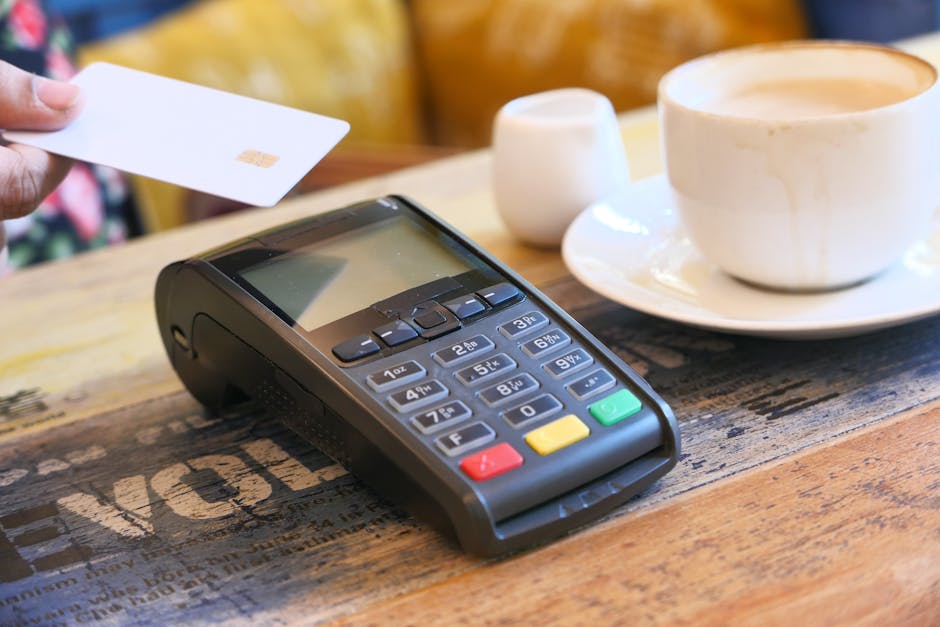
It was a Tuesday afternoon when Elena Vasquez, owner of Casa Dorada in Phoenix, sat down with her accountant and finally did the math. She'd been on Toast for three years — a smooth system, reliable, her staff loved it. But the processing fees had always felt high. When she added it up: $1.2 million in annual card sales multiplied by Toast's 2.99% + $0.15 rate came out to $37,080 per year in processing costs alone.
Her accountant pulled up a rate sheet from a local payment processor she'd been ignoring. Interchange-plus pricing, 0.2% + $0.10 over actual interchange. On her volume, that worked out to roughly 2.1% effective rate — saving her $10,716 per year.
"I felt sick," she told me. "Three years. That's thirty thousand dollars I paid for nothing."
Elena's story is not unusual. It's the standard business model for the major POS companies: give you a great product, then recoup the cost — and then some — through mandatory payment processing at rates you cannot negotiate.
This article explains exactly how payment processor lock-in works, how to calculate what you're losing, what interchange-plus pricing actually means, and what your options are for breaking free.
How POS Companies Profit From Your Payment Processing
The economics of the restaurant POS industry shifted dramatically around 2015. Hardware margins collapsed as commodity Android and iOS tablets flooded the market. Software subscription fees faced competitive pressure. So the major POS companies pivoted to a new revenue model: become the payment processor.
When Toast, Square, or Clover process your payments, they earn a spread between what they charge you and what the card networks (Visa, Mastercard, Discover) and issuing banks actually charge. This spread is called the "merchant markup" — and it can be 0.3% to 0.8% above what you'd pay a competitive independent processor.
On $80,000 in monthly card revenue, a 0.5% spread means $400/month — $4,800/year — flowing to your POS company on top of your subscription fee. Over three years, that's $14,400 in processing revenue your POS vendor extracts beyond their software fee. Most restaurants never notice because the processing cost is buried in their credit card statement, not their POS invoice.
The lock-in mechanism: Toast, Square, Clover, and several other major POS systems require you to use their payment processing. The POS software and payment processing are bundled — you cannot separate them. If you want their POS, you accept their rates. This is legal, disclosed in contracts, and extremely profitable for them.
The Real Numbers: What the Major Players Charge
Before comparing processors, it helps to understand the baseline cost structure. Every card transaction has three layers of cost:
- Interchange: Fees set by Visa/Mastercard/Discover that go to the card-issuing bank. These are non-negotiable and the same for everyone. A Visa credit card at a restaurant typically runs 1.65%–2.0% interchange depending on the card type (rewards cards cost more).
- Assessment fees: Network fees paid to Visa/Mastercard for using the network. Roughly 0.14%–0.165%. Also non-negotiable.
- Processor markup: The fee your payment processor adds on top. This is the only negotiable part — and it's where the POS lock-in robs you.
| POS System | Processing Model | Quoted Rate | Processor Choice |
|---|---|---|---|
| Toast | Flat rate / tiered | 2.99% + $0.15 (card present) | Toast Payments only |
| Square | Flat rate | 2.6% + $0.10 (card present) | Square Payments only |
| Clover | Varies by reseller | 2.3%–2.7% typical | Fiserv or reseller processor |
| Lightspeed | Flat rate | 2.6% + $0.10 | Lightspeed Payments (preferred) |
| KwickOS | You choose | Interchange-plus available | Any processor — full freedom |
| Independent processor (typical) | Interchange-plus | ~0.2%–0.3% over interchange | N/A |
Note: Rates are publicly quoted as of mid-2026. Actual effective rates depend on card mix (debit vs. rewards credit) and negotiation. Toast offers custom pricing for high-volume restaurants, but only via Toast Payments.
Flat Rate vs. Interchange-Plus: The Critical Difference
This is the concept that saves or costs restaurants thousands per year, yet most owners have never heard of it.
Flat Rate Pricing (What Toast, Square, Clover Use)
With flat rate pricing, you pay the same percentage regardless of what card type the customer uses. Square charges 2.6% whether a customer pays with a debit card (which costs the processor ~0.05% + $0.21 interchange) or a premium travel rewards Visa (which costs ~2.1% interchange).
This means Square makes almost nothing on rewards cards (passing the true cost to you) but makes significant margin on debit cards where interchange is very low. The "average" works out in their favor — they price the flat rate above your expected card mix.
Flat rate is simple. Simple is expensive.
Interchange-Plus Pricing
With interchange-plus, you pay the actual interchange fee (set by Visa/Mastercard, published publicly) plus a fixed processor markup. A typical rate might be "interchange + 0.25% + $0.10 per transaction."
When a customer pays with a Visa debit card (interchange: ~0.05% + $0.21), your total cost might be 0.4% effective. When a customer pays with a premium Sapphire Reserve card (interchange: ~2.1%), your effective rate is ~2.35%. You pay exactly what the card costs, plus a small, fixed margin to your processor.
Restaurants with a good mix of debit cards and basic credit cards can save 0.4%–0.8% compared to flat rate pricing. Even on a card mix weighted toward rewards cards, interchange-plus is typically 0.2%–0.5% cheaper than the flat rates charged by POS-bundled processors.
A real example: A full-service restaurant doing $75,000/month in card sales. Flat rate at 2.99%: $2,243/month. Interchange-plus at 0.25% over interchange, typical card mix averaging 2.0%: $1,688/month. Monthly savings: $555. Annual savings: $6,660.
Hidden Fees: The Full Cost Breakdown
Processing rates are only part of the story. Both POS-bundled and independent processors charge various fees that inflate your actual cost. Here's what to look for:
| Fee Type | Toast (typical) | Square (typical) | Independent Processor |
|---|---|---|---|
| Per-transaction fee | $0.15 | $0.10 | $0.05–$0.10 |
| Monthly statement fee | $0 | $0 | $5–$15 |
| PCI compliance fee | Included | Included | $5–$20/month |
| Batch fee | $0 | $0 | $0.10–$0.25/batch |
| Chargeback fee | $15 | $0 (waived if you win) | $15–$25 |
| Early termination | $0 (month-to-month) | $0 | $0–$500 (varies by contract) |
| International card surcharge | 1.5% extra | 1.5% extra | Actual interchange + small markup |
The "included" PCI compliance fee from POS-bundled processors sounds nice until you realize the cost is built into the processing rate. Nothing is free — it's just bundled invisibly.
For independent processors, watch for contracts with early termination fees and monthly minimums. A legitimate interchange-plus processor should offer month-to-month terms with no cancellation penalty.
The Real Annual Cost: A Calculator by Restaurant Size
Let's run the numbers for different restaurant sizes using realistic card percentages. Industry data shows that 85%–92% of restaurant transactions are now card or contactless payments, up from 72% in 2020 (Square 2025 Restaurant Industry Report).
| Restaurant Type | Annual Card Sales | Toast 2.99% Cost | Interchange-Plus Cost (est.) | Annual Savings |
|---|---|---|---|---|
| Food truck / QSR | $200,000 | $5,980 | $4,400 | $1,580 |
| Fast casual (1 location) | $450,000 | $13,455 | $9,900 | $3,555 |
| Full-service restaurant | $750,000 | $22,425 | $16,500 | $5,925 |
| High-volume / upscale | $1,500,000 | $44,850 | $33,000 | $11,850 |
| Multi-location (3 units) | $2,400,000 | $71,760 | $52,800 | $18,960 |
Interchange-plus estimate assumes 2.2% effective rate (typical restaurant card mix with some rewards cards). Actual savings depend on your specific card mix — ask any processor candidate for a blended rate analysis using your statements.
How to read your current processing statement: Look for your "effective rate" — total fees divided by total volume. If you're on a bundled POS system and your effective rate is above 2.7%, you're almost certainly overpaying. Rates above 3.0% represent significant leakage. An independent processor should be able to review your last 3 months of statements and show you exactly how much you'd save.
Why Toast's "Custom Pricing" Doesn't Solve the Problem
Toast does offer negotiated rates for high-volume restaurants — typically those doing over $200,000/month in card sales. On the surface, this sounds like a solution to the lock-in problem. In practice, it's still restrictive for several reasons:
- You're negotiating from zero leverage. You cannot walk into the negotiation saying "I'll take my processing to Stripe if you don't match their rate." The moment you're on Toast POS, you have no alternative. They know it.
- Custom pricing is still not interchange-plus. Toast's negotiated rates are usually tiered or blended — you still don't pay actual interchange cost. The processor maintains a margin buffer.
- Volume commitments come with strings. Custom pricing arrangements often require commitments to maintain minimum monthly volume or face rate adjustments. This creates pressure when you have a slow season.
- You can't leave without switching your entire POS. If a better processing deal becomes available — say, a new fintech offering a dramatically lower rate — you cannot switch without ripping out your entire POS system.
True rate freedom means your payment processor choice is completely independent of your POS choice. That requires a POS system that works with any processor.
Square's "Simplicity" Premium
Square built its brand on simplicity: one flat rate, no contracts, no monthly fees. For a food truck doing $8,000/month, this is genuinely appealing — the simplicity is worth the small premium over interchange-plus pricing.
For any restaurant doing serious volume, the "simplicity premium" becomes very expensive. Square at 2.6% + $0.10 on $600,000 annual volume means $16,200/year in processing. An independent interchange-plus processor on the same volume likely runs $13,200–$13,800/year. That $2,400–$3,000 annual premium is what you're paying for the convenience of not having to evaluate processors.
Square also has a less-discussed limitation: it is not well-suited for complex table-service restaurant operations. The payment processing lock-in comes bundled with a system that many full-service restaurants find inadequate for their actual workflow needs. Paying a premium for a processor that's tied to a POS that may not even fit your operation well is doubly painful.
The Clover Situation: It's Complicated
Clover's payment processing structure is the most complicated of the major systems. Clover hardware is made by Fiserv but sold through banks and independent resellers — each of whom sets their own processing rates. This means the Clover at your local bank's merchant services department and the Clover sold by a reseller could have very different processing rates for identical hardware.
Some Clover resellers offer interchange-plus pricing. Others use tiered pricing with high non-qualifying rates for rewards cards. The hardware is the same, but the processing cost can vary wildly — from reasonable (1.5% effective) to outrageous (3.5%+ with tiered pricing penalties).
If you're on Clover, the first step is verifying your pricing model. If it's tiered pricing, you're almost certainly paying more than you should. Ask your Clover reseller for interchange-plus — some will accommodate, many won't.
The deeper problem with Clover is that even with reasonable rates, you're still locked into Fiserv's processing ecosystem. You can't take your business to a completely different processor without losing the payment integration built into your Clover terminal.
What "Processor Freedom" Actually Means
A processor-agnostic POS system supports any EMV-certified payment terminal and integrates with any payment processor through standard payment APIs. You choose your processor independently, negotiate rates on the open market, and can switch processors without touching your POS software.
This matters in practical terms for several reasons:
Rate Negotiation Leverage
When you can walk away and take your business to any of a dozen competing processors, you have real leverage. A processor competing for your $80,000/month account will negotiate. A processor that knows you're captive — because your POS requires their service — has no reason to sharpen their pencil.
Promotional Rates and Introductory Offers
Payment processors regularly run promotions for new accounts: reduced rates for the first year, free terminal placement, waived monthly fees. With processor freedom, you can take advantage of these offers and renegotiate at renewal. With a locked POS, you can't participate.
Industry-Specific Processors
Some processors specialize in the restaurant industry and offer features specifically valuable for restaurants: tip adjustment, pre-authorization for bars, EMV speed optimization, chargeback protection programs designed for restaurant disputes. These specialized processors often offer better rates and better features than the generic processing arms of POS companies.
Local and Regional Processors
A local merchant services company competing in your market may offer dramatically better rates to win your business than a national company can. They also tend to provide faster, more responsive support because your account matters more to them. Processor freedom lets you work with whoever is best for your situation — not whoever your POS company has partnered with.
How KwickOS Approaches Payment Processing
KwickOS takes a fundamentally different architectural approach: the POS system and payment processing are completely separate systems. KwickOS integrates with any payment processor through standard payment APIs — you bring your own processor, connect your own terminals, and KwickOS handles the order management, kitchen routing, and reporting on its side.
In practice, this means:
- You sign up for KwickOS based on its POS features and pricing
- You separately select, negotiate, and sign up with any payment processor you choose
- KwickOS connects to your payment terminal via standard integration
- Your processing rates, statements, and relationship with the processor are entirely independent
- If you find a better processor next year, you switch processors without touching your POS
Supported processor categories include Stripe, Heartland, Worldpay, Elavon, TSYS, First Data, Paysafe, and regional merchant services companies. The actual list is extensive — if it's an EMV-certified processor with standard API integration, it works.
KwickOS on hardware freedom too: The same principle that applies to payment processors also applies to hardware. KwickOS runs in any web browser on any device — iPad, Android tablet, Windows, Chromebook. You're not locked into proprietary terminals any more than you're locked into a single processor. This compounds the savings: no forced hardware rental, no proprietary terminal costs, and no processing lock-in.
A Real Savings Calculation: Making the Switch
Let's walk through a concrete example of how a restaurant might structure the transition from a locked POS to KwickOS with an independent processor.
Starting Situation
Full-service Mexican restaurant, 2 locations, annual combined card sales: $1.1 million. Currently on Toast with 2.99% + $0.15 processing. Monthly Toast subscription: $165/location ($330 total). Two kitchen display screens per location ($55/month/screen rental = $220/month).
Current Annual Costs
| Cost Item | Monthly | Annual |
|---|---|---|
| Toast processing (2.99% + $0.15 on ~$91,667/mo) | $2,815 | $33,780 |
| Toast subscription ($165 × 2 locations) | $330 | $3,960 |
| Kitchen display rental ($55 × 4 screens) | $220 | $2,640 |
| Total | $3,365 | $40,380 |
Post-Switch Costs (KwickOS + Independent Processor)
| Cost Item | Monthly | Annual |
|---|---|---|
| KwickOS subscription (2 locations, full features) | $240 | $2,880 |
| Interchange-plus processing (~2.15% effective on $91,667/mo) | $1,971 | $23,652 |
| Owned KDS hardware (one-time, amortized 3 years) | $55 | $660 |
| Total | $2,266 | $27,192 |
Net Savings
Annual savings: $13,188 — that's $1,099/month back in the restaurant's pocket. Payback period on switching costs (hardware setup, migration): approximately 3–4 months. Year 1 net benefit (after switch costs): ~$9,000+. Year 2 and beyond: full $13,188/year, compounding.
How to Evaluate Payment Processors: The Right Questions
If you're ready to move to a processor-agnostic POS and shop for independent processing, here's what to ask potential processors:
- "Is this interchange-plus pricing or flat/tiered?" Only accept interchange-plus. Anything else means you don't have full transparency into your costs.
- "What is your markup — in percentage and cents?" Get a specific number. "Competitive rates" is not an answer. You want "interchange + 0.20% + $0.08" or similar.
- "Show me a sample statement for a restaurant doing my volume." Ask them to calculate the effective rate based on a typical restaurant card mix.
- "What are ALL monthly fees?" Statement fee, PCI compliance fee, batch fee, gateway fee — get them all in writing before signing.
- "Is this a month-to-month contract?" Never sign a processing contract longer than 12 months without very clear terms on any rate-change provisions.
- "What is the chargeback fee and process?" Restaurants see more chargebacks than most merchants — know the cost and support process before you're in a dispute.
- "Do you support the EMV terminals compatible with my POS?" Confirm your processor can work with terminals your POS supports.
Compare at least three processors. Bring the best offer back to your second-choice processor and ask if they can match it. Competition works when you have the freedom to choose.
The Surcharging Question
In 2026, card surcharging — passing the processing fee to the customer — is legal in 48 states (currently prohibited in Connecticut and Massachusetts). Some restaurants have adopted surcharging as a way to offset processing costs entirely.
The math is attractive: if you can legally add a 3% surcharge (capped by Visa/Mastercard rules), your processing cost drops to near-zero. But there are real tradeoffs:
- Customer perception: many diners view surcharges negatively, and some will walk out
- Competitive disadvantage if nearby restaurants don't surcharge
- Compliance requirements: surcharges require specific signage and disclosure rules
- Technical requirements: your POS and processing system must support surcharge compliance
- Fine dining risk: high-end restaurants often see more backlash from surcharging than casual spots
Dual pricing (cash price vs. card price posted on menus) is an alternative approach that some restaurants find less friction-generating than a surcharge. Both require a processing system flexible enough to implement correctly — another reason why processor freedom matters.
KwickOS supports both surcharging and dual pricing configurations, delegating the actual surcharge mechanics to the connected payment processor. Systems locked into a POS-bundled processor may not support these configurations at all, or charge extra to enable them.
Why the Industry Won't Tell You This
The processing fee is the silent revenue driver for every major POS company. It's why Toast can justify charging less for its software than a standalone processor-agnostic POS: they recoup the margin on every swipe.
Industry press tends to cover POS features, UX, and integrations. Processing economics almost never get coverage because it's financially complex, unsexy, and the POS companies are major advertisers in that press ecosystem. Restaurant consultants who take referral fees from POS companies have an obvious incentive not to highlight the issue.
The National Restaurant Association's 2025 Technology Survey found that 71% of restaurant owners could not accurately state their effective processing rate — they knew their quoted rate, but not their actual effective rate including all fees. This information asymmetry is profitable for POS companies and costly for operators.
Ask yourself this: When was the last time your Toast, Square, or Clover representative proactively said, "Hey, you might save money if you shopped your processing independently"? They never will. That's not a criticism — it's not their job to save you money on processing. It's your job to understand your costs.
Steps to Break Free: A Practical Roadmap
If you're ready to stop accepting payment processor lock-in, here's a structured path forward:
Step 1: Understand Your Current Costs (This Week)
Pull your last three months of processing statements. Calculate: total fees ÷ total volume = effective rate. If your effective rate is above 2.7%, you're paying above-market rates. If it's above 3.0%, this is urgent.
Step 2: Shop for Independent Processors (Next 2 Weeks)
Contact at least three independent processors and ask for a rate analysis using your actual statements. Good options to evaluate include Heartland Restaurant, National Processing, and Paysafe — all offer interchange-plus for restaurants and are compatible with processor-agnostic POS systems. Get specific written rate sheets, not verbal promises.
Step 3: Evaluate Processor-Agnostic POS Options (Parallel)
Demo POS systems that give you full processor freedom. Verify this freedom explicitly — ask them to confirm in writing that you can use any payment processor of your choice. KwickOS offers a free trial; bring your own processor from day one.
Step 4: Calculate Your True 3-Year Cost
For each POS option: add subscription fees + estimated processing fees (at the rate you negotiated) + hardware costs. Do this for 36 months. The total cost of ownership often looks very different from the monthly subscription price.
Step 5: Plan Your Migration
A professional POS migration takes 7–10 days. Your current system stays running in parallel during the transition. Set your go-live date for your slowest day of the week. The processor change can happen simultaneously or be done first as a separate step — some restaurants switch processors while keeping their current POS temporarily as a bridge step.
Step 6: Monitor and Optimize
After switching, review your monthly processing statements for the first three months to confirm rates match what was quoted. Calculate your actual effective rate quarterly. As your volume grows, revisit the negotiation — processors will often improve rates for accounts growing in volume.
Frequently Asked Questions
Can I switch processors without switching my POS?
Only if your current POS supports it. Toast, Square, and Clover do not — processing is bundled. Some POS systems like Lightspeed technically allow alternative processors but prefer their own. A processor-agnostic POS like KwickOS is designed from the start to work with any processor, with no preference or restriction.
Will my customers notice any difference?
No. To a customer, all payment terminals look and work the same. The checkout experience is identical regardless of which processor handles the transaction behind the scenes.
Are independent processors less reliable than POS-bundled processors?
No. Major independent processors like Heartland, Worldpay, and TSYS process hundreds of billions in transactions per year with uptime records comparable to any POS company's processing arm. Reliability is not a differentiator between processors at this scale.
What if my volume is low — does this still make sense?
At very low volumes (under $10,000/month in card sales), the simplicity of Square's flat rate may genuinely be worth the modest premium. Above $20,000/month, interchange-plus almost always wins on total cost. Run your specific numbers to be sure.
Can I negotiate better rates if I stay with Toast?
Possibly, at high volume. But as discussed, you're negotiating without leverage. You'll get a better outcome negotiating independently with a processor you can actually switch away from.
The Bottom Line
Restaurant margins average 3%–9% pre-tax in a good year. Payment processing costs of 2.7%–3.2% represent an enormous share of your margin — often larger than your profit per dollar of revenue. The difference between an optimized interchange-plus rate and a locked POS bundled rate can be 0.5%–1.2% of total revenue.
For a restaurant doing $750,000 per year, that's $3,750–$9,000 in annual savings. Real money. Not theoretical efficiency gains or projected customer loyalty improvements — actual dollars that stop leaving your account.
The technology to achieve this is mature and available. Processor-agnostic POS systems work reliably at thousands of restaurants. Independent interchange-plus processors are competitive and well-supported. The only thing keeping most restaurants from these savings is the inertia of staying with what they already have — and the belief that switching costs outweigh switching benefits.
They don't. Run the math on your own numbers. The spreadsheet will tell you what to do.
KwickOS Works With Any Payment Processor
Bring your own processor, negotiate your own rates, keep full control. 5,000+ restaurants trust KwickOS for hybrid-cloud reliability, any-device flexibility, and zero processing lock-in.
See How KwickOS Works →