Restaurant Kitchen Display Systems: Ditch Paper Tickets
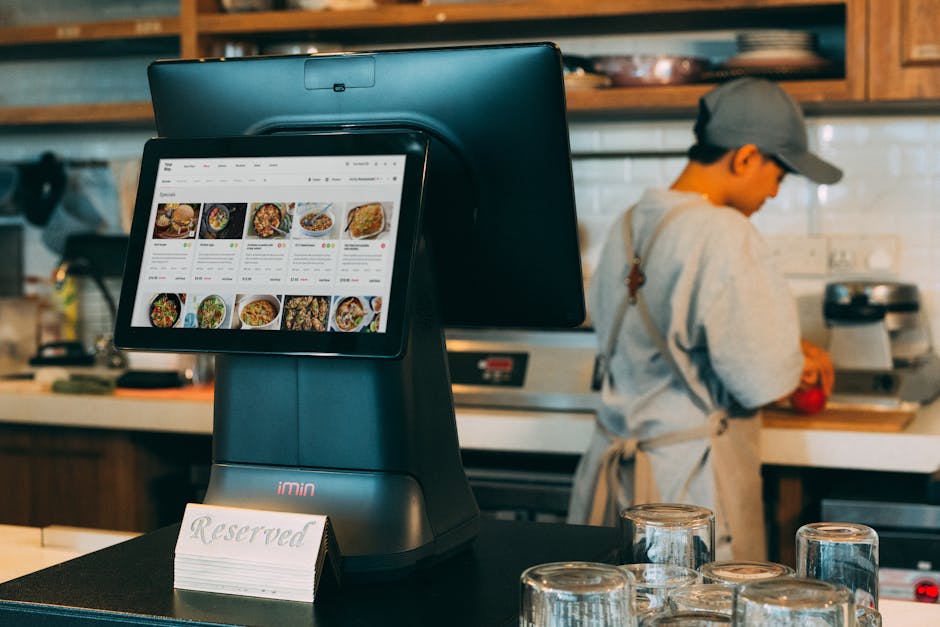
It's a Friday night rush. The printer behind the grill starts jamming. The line cook grabs a crumpled paper ticket, reads the wrong table number, and fires a medium-rare steak for a table that ordered vegan risotto. By the time the expo realizes what happened, the ticket has disappeared under a pile of new orders, and the guest has been waiting 22 minutes.
This scene plays out in thousands of restaurants every single week. Yet the fix has existed for over a decade: the Kitchen Display System (KDS). If your kitchen is still running on paper tickets, you are not just living dangerously — you are actively losing money, time, and customers.
This guide breaks down everything you need to know about KDS technology: how it compares to paper, how order routing and cook-time tracking work, what a bump bar and expo screen actually do, how multi-language support changes operations for diverse teams, and why KwickOS KDS runs on any screen you already own.
(Toast Internal, 2025)
(NRA estimate)
(Lightspeed Survey 2025)
(QSR Magazine 2025)
The Real Cost of Paper Tickets
Paper tickets feel simple. But that simplicity is an illusion that hides compounding costs. Let's run the numbers that restaurant owners rarely calculate.
Direct Costs
A single kitchen printer costs $300–$600 and typically lasts 2–3 years with heavy use. Thermal paper rolls add up: a full-service restaurant printing 300+ tickets per shift burns through rolls fast. Add in ink ribbons, maintenance calls, and the labor hours your kitchen manager spends unjamming printers mid-service, and you are looking at $4,000–$6,500 per station per year in hard costs alone.
Indirect Costs: The Hidden Bleeding
The bigger damage is invisible on your P&L. A 2024 Black Box Intelligence study found that order errors cost full-service restaurants an average of $47 per incident when you factor in re-fires, comped meals, labor waste, and the probability of losing that guest permanently. If your kitchen makes even one error per shift, that is $17,155 per year walking out the door.
Ticket gets printed → ticket sits in queue unread → line cook misreads handwriting or smudged ink → wrong item fired → expo catches error late → re-fire delays entire table → guest experience suffers → negative review → fewer covers → less revenue. Every step compounds the previous one.
Speed and Throughput
Paper is inherently linear. A ticket prints, someone physically picks it up, reads it, and acts. If that cook is busy, the ticket waits. There is no priority sorting, no automatic escalation, no visual urgency indicator. A digital KDS changes all of that. Orders flow in real time, color-coded by age and priority. Stations see only what they need to. Cook times are tracked to the second.
"We went from averaging 24-minute ticket times on Saturday nights to 16 minutes within the first two weeks of using KwickOS KDS. The kitchen stopped feeling like chaos." — Sofia Amarante, Owner, Brasa Kitchen, Austin TX
KDS vs. Paper Tickets: Head-to-Head Comparison
| Feature / Factor | Paper Tickets | Kitchen Display System |
|---|---|---|
| Order accuracy | Moderate — relies on handwriting & legibility | High — digital transmission, no transcription errors |
| Real-time updates | No — ticket already printed, mods require reprint | Yes — modifications push instantly to screen |
| Cook time tracking | None — cook eyeballs clock or uses instinct | Automated — per-item, per-ticket timers with alerts |
| Station routing | Manual — expo or runner distributes | Automatic — each station sees only its items |
| Order prioritization | None — physical stack order | Color escalation, VIP flags, course sequencing |
| Multi-language support | Not possible | Display in cook's native language |
| Waste / paper cost | $4k–$6.5k per year per station | Zero consumables |
| Historical analytics | None — tickets thrown away | Full cook-time, throughput, error reports |
| Hardware flexibility | Requires dedicated kitchen printer | KwickOS: any Android, iPad, or TV screen |
| Offline operation | Always works | KwickOS: local network — no cloud required |
How Order Routing Works in a KDS
Order routing is the engine that makes a KDS dramatically more powerful than a single printer. Here is how it works in practice.
Station-Based Routing
A modern kitchen is divided into stations: grill, sauté, fry, cold/prep, pastry, expo. Each station has its own KDS screen. When a server sends an order from the POS, the system automatically routes each item on that ticket to the correct station display. The grill cook sees only the proteins. The fry cook sees only fried items. The sauté station sees its components. No one is sifting through irrelevant items.
This sounds simple, but the operational impact is enormous. Cooks can focus entirely on their work. The cognitive load of filtering a full ticket — especially during a 60-cover push — is eliminated. Fewer missed items. Fewer misfires.
Course-Based Sequencing
A good KDS does not just route by station — it routes by course and by timing. Appetizers fire immediately. Entrees hold until the app is bumped (completed) or until a configurable delay fires them automatically. Desserts stay hidden until triggered. The system orchestrates the entire meal pacing without the expo manually managing every table.
Table 12 orders: Caesar salad, NY strip (grill), fries (fry), chocolate lava cake (pastry). KwickOS instantly sends: salad to cold prep, strip to grill, fries to fry. Lava cake is held on the pastry KDS in a "pending" state until expo bumps the entrees. All stations are synchronized automatically.
Order Aggregation
Many KDS platforms also offer aggregation: if three tables all ordered the same burger, the grill station KDS can show "3x Burger" as a batch line rather than three separate tickets. This is particularly valuable in high-volume environments where batching protein cooks saves significant time. KwickOS supports configurable aggregation by item category and station.
Cook Times: The Hidden Performance Metric
Cook time tracking is one of the most underutilized features of a KDS — and one of the most powerful.
What Is a Cook Time?
A cook time is the elapsed duration from when an order item appears on the KDS to when it is bumped (marked complete). The KDS displays a running timer on every active ticket. Managers can configure target cook times per item category, and the display changes color as the target is approached or exceeded.
Color Escalation
Most KDS platforms use a three-stage color system. KwickOS uses: white (just received), yellow (approaching target time), red (exceeded target — urgent). This visual priority system means a cook scanning 8 tickets at once immediately knows which table needs immediate attention without reading every ticket number.
Analytics and Benchmarking
Every bump generates a data point. Over time, the KDS accumulates a full history of your kitchen's cook times: by station, by shift, by server, by day of week, by menu item. This data is extraordinarily valuable for:
- Identifying slow stations during peak service
- Catching individual cook performance issues
- Benchmarking after staffing changes or menu updates
- Calculating realistic table turn targets for reservations
- Proving ROI to skeptical ownership
Taco chain operators using KwickOS KDS reported that after reviewing cook-time data for 30 days, they identified the fry station as a consistent bottleneck between 12:00–1:30 PM. Adding a second fryer basket during that window cut average ticket times by 4.2 minutes and increased lunch covers by 11 tables per week.
The Bump Bar: What It Is and Why Cooks Love It
A bump bar is a dedicated hardware controller that allows kitchen staff to interact with the KDS without touching a screen. In a real kitchen environment — hands covered in oil, flour, or raw protein — touching a touchscreen is impractical and unhygienic. The bump bar solves this elegantly.
How It Works
A bump bar typically has a row of physical buttons, each corresponding to a ticket on the current KDS display. When a cook finishes an item or an entire ticket, they press the corresponding button to bump it off the screen. The action is instant, requires no screen contact, and triggers downstream routing to the expo screen.
Next Ticket
Scroll through queued orders without touching the display.
Bump / Done
Mark a complete order or individual item as finished.
Recall
Bring back a bumped ticket if there is an issue — critical safety net.
Priority Alert
Flag a ticket as urgent for the expo and other stations.
Wireless Bump Bars
Modern systems including KwickOS support Bluetooth bump bars, eliminating cable clutter. In fast-casual environments where kitchen cooks move frequently between stations, a wireless bump bar changes workflow significantly. Some operations use foot pedal bump triggers for completely hands-free operation.
Touchscreen Bump vs. Physical Bump Bar
Many smaller operations use swipe gestures on the KDS touchscreen to bump tickets and skip the bump bar hardware cost entirely. KwickOS supports both modes. For fine dining or full-service kitchens, a physical bump bar is strongly recommended. For counter-service or QSR, swipe-to-bump on a wall-mounted tablet works well.
The Expo Screen: Command Center for the Pass
The expo screen (short for expediter screen) is a separate KDS display positioned at the pass — the window between the kitchen and the front of house. The expediter uses this screen to coordinate the final assembly and dispatch of every order.
What the Expo Sees
The expo KDS shows a consolidated view of every active ticket, with real-time status from each station. When the grill bumps the steak, the expo screen shows "Grill: Done." When the sauté bumps the risotto, it updates accordingly. The expo can see at a glance whether all components of a ticket are ready before calling a runner.
| Ticket | Table | Grill | Sauté | Fry | Cold Prep | Status |
|---|---|---|---|---|---|---|
| #1042 | 7 | Done | Done | Done | Done | READY — Run |
| #1043 | 12 | 3:20 | Done | 1:45 | Done | IN PROGRESS |
| #1044 | 3 | 6:12 ⚠ | 2:30 | Done | Done | GRILL DELAYED |
This level of visibility allows the expo to proactively communicate with the front of house, adjust guest expectations, and make real-time calls about course timing. Without an expo KDS, this information lives in the expediter's head — subject to memory lapses, missed cues, and miscommunication under pressure.
Front-of-House Display Integration
Some KwickOS configurations add a customer-facing order status display for counter-service environments — showing "Order #47: Preparing" or "Order #47: Ready for Pickup." This eliminates front-counter crowding and customer interruptions while kitchen staff works. It is the same technology used by QSR chains, now accessible to independent operators at no extra hardware cost.
Multi-Language Kitchen Display: A Game-Changer for Diverse Teams
This is the feature that most KDS vendors gloss over, and it is the one that may matter most in real-world kitchens.
The Language Reality in Restaurant Kitchens
According to the National Restaurant Association, over 50% of U.S. restaurant kitchen workers speak a language other than English as their primary language. In many urban markets, that number exceeds 70%. Spanish, Mandarin, Cantonese, Tagalog, Portuguese, Arabic, and dozens of other languages are the working languages of America's kitchens — not English.
Paper tickets are, by definition, printed in whatever language the POS is configured for. If that is English and your grill cook reads Spanish, every single order carries friction. Misread item names. Misprepared modifications. Speed loss while the cook interprets an unfamiliar abbreviation.
How KwickOS Multi-Language KDS Works
KwickOS supports 30+ languages natively. Each station KDS can be configured independently to display in a different language. The grill station shows Spanish. The sauté station shows Mandarin. The expo screen shows English for the front-of-house manager. Every cook reads orders in the language they think and work in fastest.
A Dallas hotel restaurant with a 14-person kitchen staff speaking 6 different languages implemented KwickOS KDS with per-station language settings. Within the first month, order errors dropped 41% and new hire onboarding time fell from 3 days to 1 day — because new cooks could read their station display without needing translation from a colleague.
Beyond Translation: Localized Terminology
True multi-language KDS does more than run items through a translation engine. KwickOS allows operators to configure kitchen-specific terminology in each language — so "86" still means 86 in every language, "fire" still means fire, and custom shorthand your team has developed is preserved. The display adapts to how your kitchen actually speaks, not to how a translation algorithm thinks kitchens speak.
KwickOS KDS: Runs on Any Screen
The biggest barrier to KDS adoption for independent operators has historically been hardware cost. A purpose-built kitchen display from a major POS vendor can run $1,200–$2,800 per screen. For a kitchen with four stations plus expo, that is $6,000–$14,000 before installation.
KwickOS eliminates this barrier entirely.
Android Tablets
Any Android tablet running 8.0+ works as a KwickOS KDS station. A reliable kitchen-grade 10" Android tablet costs $80–$180.
iPads
Existing iPads — including older models — run KwickOS KDS without any modifications or special cases.
Smart TVs / Monitors
Mount a $200 commercial monitor with an Android stick and you have a full KDS display. Ideal for expo and pass positions.
Any Web Browser
KwickOS KDS also runs in any modern browser — Chrome, Firefox, Safari — on any device, including laptops or touchscreen PCs.
Local Network Architecture: No Cloud Dependency
This is a critical distinction. Many cloud-based KDS systems fail when your internet goes down. KwickOS operates on your local network. The POS, KDS stations, and expo screen all communicate over your restaurant's Wi-Fi or wired network. If your ISP drops out during dinner service, your kitchen keeps running without interruption.
This hybrid architecture — local reliability with cloud reporting — is what makes KwickOS genuinely production-grade for restaurants that cannot afford downtime.
Setup Time
KwickOS KDS can be deployed in an existing restaurant in under 2 hours for a typical 4-station kitchen. There are no custom hardware requirements, no proprietary cabling, and no vendor technician visit required. Your manager can set it up using the KwickOS dashboard with step-by-step guidance.
Implementing KDS: A Step-by-Step Transition Plan
The technology is straightforward. The change management is where operators stumble. Here is a proven transition plan for switching from paper to KDS without disrupting service.
- Audit your current station layout. Map every station, what items each station handles, and which printers currently serve each. This becomes your routing configuration.
- Configure item routing in KwickOS. Assign each menu item to its station(s). Items that span stations (e.g., a burger needs grill for patty, cold prep for build) are assigned to multiple stations simultaneously.
- Set target cook times per category. Start with conservative estimates (grill proteins: 10 min, fry: 5 min, etc.) and refine after the first two weeks of data collection.
- Run parallel for the first three shifts. Keep paper tickets running while the KDS is also live. Cooks use both. This removes fear of the new system and builds confidence before you cut paper.
- Configure language settings per station. Meet individually with each cook to confirm their preferred display language. This step alone generates enormous goodwill and buy-in.
- Train on bump bar and recall functions. A 15-minute hands-on session per station is sufficient. The recall function is critical — cooks need to know they can undo an accidental bump.
- Cut paper on Day 7. Remove the printers from active use after one week of parallel running. Keep them on standby for the first month as psychological safety net, then decommission.
- Review cook-time data at 30 days. Schedule a kitchen manager review session to examine the first month of data. Identify bottlenecks and adjust routing, staffing, or equipment accordingly.
The single most common cause of KDS implementation failure is kitchen staff resistance. Involve your lead cooks in the setup process — ask for their input on cook time targets, let them choose their display language, and give them the ability to flag issues during the parallel period. Ownership over the system generates adoption. Mandates generate resistance.
KDS for Different Restaurant Types
Quick Service / Fast Casual
QSR and fast-casual environments benefit most from throughput optimization. KwickOS KDS in these settings typically uses item-level routing to a single main production display, with a customer-facing order-ready screen at the counter. Target cook times are tight (sub-3-minute on most items), and aggregation batching is enabled to cluster identical items across multiple orders. Many QSR operators report a 20–30% increase in lunch-hour throughput after KDS implementation.
Full Service / Fine Dining
Multi-station routing and course sequencing are paramount in full-service environments. The expo screen becomes the operational heart of the kitchen. Cook-time data drives table turn calculations, which feed directly into reservation pacing on the front end. Fine dining operators particularly value KwickOS's per-course delay triggers — allowing a 45-minute gap between app and entree without manual expo tracking.
Hotel Banquet / High Volume
Banquet kitchens producing 200+ identical covers face unique challenges. KwickOS handles banquet mode with batch production views — showing total quantities needed by firing window rather than individual tickets. This eliminates the chaos of 200 identical paper tickets and replaces it with a clean production summary per station.
Ghost Kitchens / Multi-Brand
Ghost kitchens running multiple virtual brands from one physical kitchen use KwickOS's brand-segregation feature. Each brand's orders display with a distinct color-coded badge. Routing rules keep brands separated on screen even when they share the same grill or fryer. Cross-contamination of brand identities in the kitchen is eliminated.
What to Look For When Choosing a KDS
| Criteria | Why It Matters | KwickOS |
|---|---|---|
| Hardware flexibility | Proprietary hardware locks you in and inflates cost | Any screen, any OS |
| Offline / local operation | Internet outages cannot kill your kitchen | Full local network mode |
| Multi-language display | Essential for diverse kitchen teams | 30+ languages, per-station |
| Station-level routing | Each cook sees only relevant items | Fully configurable |
| Cook-time analytics | Data-driven kitchen management | Full reporting dashboard |
| Bump bar support | Hygienic, hands-free operation | Wired & Bluetooth |
| Expo screen | Coordinated pass management | Consolidated multi-station view |
| POS integration | Seamless order flow from front to back | Native KwickOS POS integration |
| Setup time | Operator self-install vs. expensive vendor visit | Under 2 hours, self-guided |
The ROI Case for KDS
Let us model a realistic ROI for a 50-seat full-service restaurant currently running paper tickets on two kitchen printers.
| Cost / Saving Item | Annual Value |
|---|---|
| Paper, thermal rolls, ribbons eliminated | +$2,800 |
| Printer maintenance and repair eliminated | +$900 |
| Order error reduction (1 error/shift → 0.2/shift @ $47/incident) | +$10,950 |
| Throughput increase: 3 additional covers/shift @ avg $28 check | +$30,660 |
| Labor savings: expo more efficient, 15 min/shift | +$2,340 |
| KwickOS KDS annual subscription (4 stations) | -$1,440 |
| Hardware (4x Android tablets @ $120) | -$480 (one-time) |
| Year 1 Net ROI | +$45,770 |
Even with conservative assumptions on error reduction and throughput improvement, the payback period on KwickOS KDS for a mid-size full-service restaurant is under 60 days. Year 2 onward removes the hardware cost, increasing net ROI further.
"My accountant thought I was exaggerating. I showed him the cook-time reports, the error log, and the cover count before and after. He stopped asking questions." — Jason Okonkwo, GM, Harbor Bites, Seattle WA
The Bottom Line
Paper tickets are not a system. They are the absence of a system — a workaround that restaurants adopted because it was the only option available. That is no longer true. Kitchen Display Systems are mature, proven technology that delivers measurable improvements in accuracy, speed, throughput, and staff morale.
The remaining barrier — hardware cost — has been dismantled by KwickOS. When your KDS runs on any Android tablet you already own, on any smart TV you can mount above the pass, the ROI calculation becomes trivially simple: the first month of paper cost savings pays for the hardware.
Whether you run a two-station taco counter or a twelve-station hotel kitchen serving 800 banquet covers, the arguments for paper tickets have run out. The question is not whether to make the switch — it is how soon.
- Choose a KDS that works on hardware you already own
- Prioritize local network operation for reliability
- Insist on per-station multi-language display
- Run parallel with paper for one week, then cut
- Review cook-time data at 30 days and act on it
- Involve your kitchen team from day one
Your kitchen team works hard enough. Give them tools that work as hard as they do.
No credit card. No commitment. 30 minutes, on your schedule.